Thumbtack: Hire Service Pros
- 4.9
- Rating
- 5.00M
- Installs
- Free
- Price

 Analysis by App-foxy
When something at home suddenly needs attention, the hardest part is often not knowing that a repair is required. It is finding a person who seems suitable, explaining the job clearly, comparing responses, and getting from a vague problem to a finished result without losing track of the details. I found Thumbtack useful because it puts that search and comparison process into one place rather than making me rely only on scattered recommendations or broad web searches.
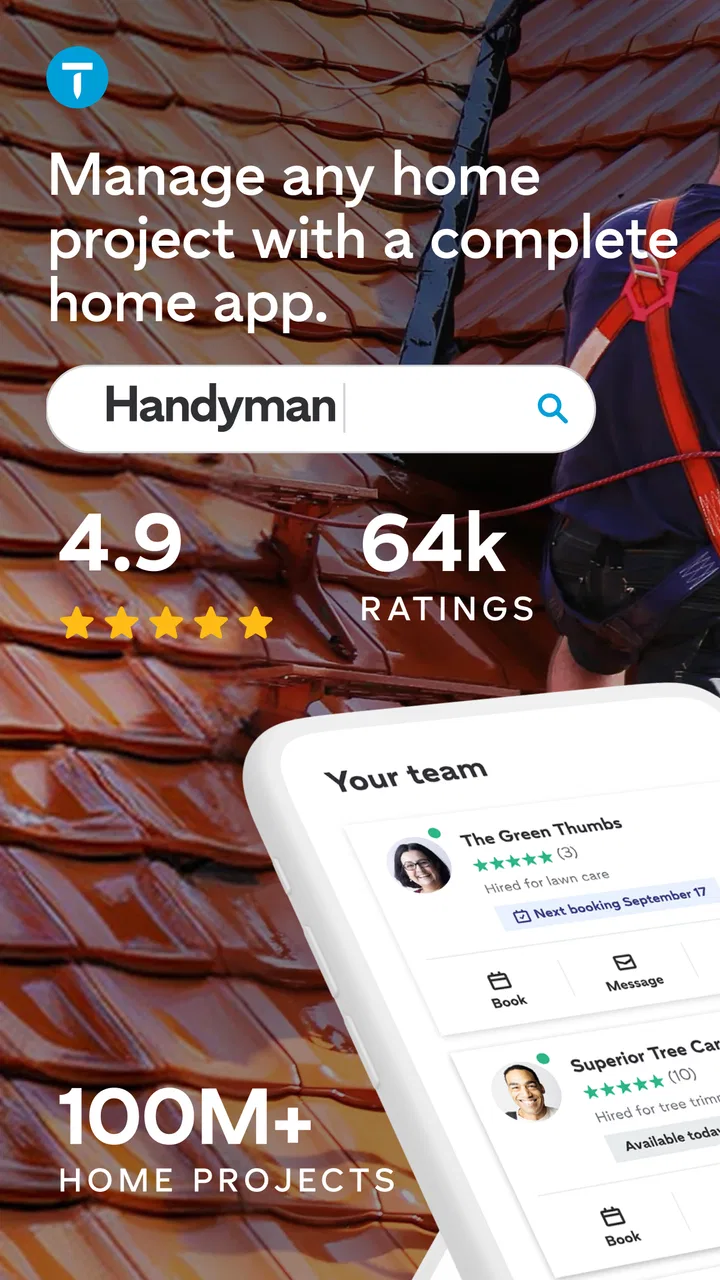
Thumbtack: Hire Service Pros is a free House & Home app from Thumbtack. Its purpose is straightforward: help people connect with professionals for jobs such as maintenance, plumbing, and home design. I would not describe it as a replacement for a skilled contractor or a guarantee that every match will be perfect. I see it more as a practical starting point that helps turn “I need someone to fix this” into a more organized conversation with potential service providers.
The app is rated 4.8 on average from around 54 thousand ratings, and it has passed five million installs. Those figures suggest that it has become a familiar option for people looking for help around the home. It is rated for Everyone, costs nothing to download, and runs on iOS 9 or later. The current version is 405.1, while the app has been available since March 13, 2017.
You May Also Like

 Blood Strike: 2.5 Anniversary
Blood Strike’s Loadouts Turn Every Drop Into a Tactical Gamble
A close look at Blood Strike’s custom loadouts: how fast access to signature weapons reshapes its battle royale rhythm, rewards preparation, and narrows the gap between fights.

 Pandora - Music & Podcasts
Pandora’s Music Is Easy to Start, but Harder to Recover
Pandora’s strength is its low-effort path from a seed to a station. Its weak spot is how much confidence it asks you to place in connection, setup, and quiet recovery.

 8 Ball Pool
 Is Built on Rivalries, Rematches, and Routine
A close look at the rivalries, rematches, shared routines, and unanswered safety questions that turn a quick pool match into a persistent mobile community.

 Samsung Music
’s Quiet Strength Is Playing What You Already Own
Its reach comes less from spectacle than from dependable access to a personal library. That simplicity is both the app’s strongest retention engine and its ceiling.

 AccuWeather: Weather Radar
AccuWeather Review: A Quick, Clear Forecast for Everyday Decisions
For everyday plans, the best forecast is the one you can understand quickly. AccuWeather makes rain timing, radar, and local conditions easy to act on, with a few trade-offs.

 Hill Climb Racing
Why Hill Climb Racing Still Turns Crashes Into One More Run
A tiny car, a bumpy hill and one more upgrade: Hill Climb Racing keeps resurfacing because its simple chaos makes every near-miss feel personal.
More From Our News Desk
View All News


From a vague home problem to a completed job
I find the most useful way to think about this stage is as a handoff: the app can help me locate and compare possible help, but a clear agreement is what gets the work moving. Before confirming a visit, I would restate the scope and practical details so both sides start with the same expectations. That leads naturally to what makes the process easier from the very first description.
Starting with the actual problem
The most useful way to approach Thumbtack is to begin with the job, not with a professional’s name. If a pipe is leaking, a room needs painting, or a design project feels too large to plan alone, I first describe what needs to happen in ordinary language. That matters because a short but specific request gives a professional a much better starting point than a broad phrase such as “home repair.”
I would include the location of the work, the type of property, the rooms or areas involved, and anything that could affect the job. For example, a plumbing request becomes more useful when it explains whether the issue is a visible leak, a blocked drain, or a fixture that needs replacement. A home-design request should explain whether I need ideas, help choosing materials, or support with a larger redesign. The quality of the first description affects the quality of the conversations that follow.
Photos can also make a difference when the app allows the relevant request to include them. A picture of a damaged wall, an awkward space, or a visible plumbing problem can reduce guesswork. I would still avoid assuming that a photo replaces an in-person inspection. It is better used to establish context and help a professional decide whether the job sounds appropriate.
One practical tip is to separate urgent symptoms from the desired outcome. “Water appears below the sink” describes the symptom, while “I need the leak identified and the cabinet area protected from further damage” explains what I want resolved. This distinction helps prevent a conversation from focusing too narrowly on the first visible sign.
Building a request that professionals can understand
Thumbtack works best when I treat the request as a small project brief. I do not need technical vocabulary, but I do need to be clear about timing, scope, and constraints. If access is limited, if the work must happen around a household schedule, or if I already have materials, those details belong in the initial message rather than appearing later as surprises.
This is especially important for home design. Design work can mean anything from choosing colors to rethinking how a whole space functions. If I only say that I want a room to look better, different professionals may imagine completely different assignments. Explaining how the room is used, what currently feels wrong, and what I want to preserve makes the request more actionable.
I also find it sensible to decide what I need before comparing people. Am I looking for the lowest possible cost, the fastest available appointment, help with planning, or someone who can manage a complicated job? Those priorities can point toward different choices. The app can help me find and contact professionals, but it cannot decide which trade-off matters most in my home.
Another useful habit is to keep a short list of questions ready. I might ask what the professional believes the job involves, what information they need before giving an estimate, whether materials are included, and what could change the final cost. Asking the same basic questions to several candidates makes comparisons more meaningful than simply choosing the first response.
Comparing responses instead of chasing the first reply
After submitting a request, the next stage is comparison. I would read each response for more than friendliness or speed. Does the person address the actual problem? Do they ask sensible follow-up questions? Do they explain what they would inspect or provide? A response that immediately assumes a solution without understanding the situation deserves more caution than one that identifies the important unknowns.
This is where Thumbtack is more convenient than asking a single neighbor for a recommendation. A personal referral can be valuable, but it usually gives me one path. The app creates a place to consider multiple potential professionals and continue the conversation from the original request. That does not remove the need for judgment, but it gives me more material to judge.
I would also read profiles and reviews with some restraint. A strong overall impression is encouraging, but it does not prove that a particular person is the right fit for a particular job. Someone who is excellent at routine maintenance may not be the best choice for detailed interior design, and a professional who handles small repairs may not be equipped for a larger renovation. The relevant experience matters more than a general sense of popularity.
My preferred workflow is to compare at least a few serious candidates when the job is not urgent. I would note their proposed scope, questions, availability, and any estimate or pricing information they share. I would not compare numbers until I know whether the professionals are talking about the same work. A lower figure can reflect a narrower job rather than a better deal.
The handoff from app conversation to real-world work
The important handoff happens when an app-based conversation becomes an actual appointment or project. At that point, I would restate the agreed scope in writing: what will be done, which areas are included, who supplies materials, and what the next step is. Even when the conversation has been friendly and clear, a written summary helps both sides notice misunderstandings before work begins.
I would also confirm practical details such as access, parking, pets, building rules, and the best way to reach me on the day. These details may seem minor, but they can delay a visit or create frustration when they are discovered at the last minute. Thumbtack helps start the connection; the homeowner still has to manage the handoff carefully.
For a repair, I would ask whether the first visit is intended to diagnose the issue or complete it. For a design project, I would clarify whether the next stage is a consultation, a plan, a shopping list, or installation support. These are different outcomes, and assuming they are the same can lead to disappointment even when the professional is capable.
My strongest advice is not to treat a message exchange as the final agreement. Before approving work, I would make sure I understand the expected result and how changes will be handled. If the problem turns out to be larger than it first appeared, I would want that discussed before extra work begins.
A realistic everyday scenario
Imagine that I notice water collecting beneath a kitchen sink on a weekday evening. I take a clear photo, describe where the water appears, mention whether the sink is still usable, and explain when someone could access the kitchen. Rather than searching randomly for “plumber near me,” I use that description to begin a focused request.
When responses arrive, I look for professionals who ask whether the leak occurs during use, whether the supply lines are visible, and whether any cabinet material has already been damaged. Those questions tell me that the person is thinking about diagnosis rather than promising a quick fix without enough information.
I then compare the proposed next steps. One professional may be prepared to inspect first, while another may discuss a likely repair based on the photo. I would ask what the visit is meant to cover and whether replacement parts or additional work could be separate. Once I choose someone, I repeat the location of the leak and clear the area so the visit can begin efficiently.
The app has helped with discovery and communication, but the outcome still depends on what happens at the property. If the visible leak comes from a different source than expected, the original request may need to be updated. That is not necessarily a failure of the app; it is a normal limitation of arranging work from an initial description.
What the completed result looks like
A successful result is not simply finding a professional’s profile. It is reaching a clear enough agreement that the work can be completed with fewer surprises. For a small maintenance task, that may mean the issue is inspected, the repair is explained, and the affected area is left usable. For plumbing, it may mean identifying the source rather than only drying the visible water. For home design, it may mean ending with a plan that fits the way I actually live.
I would judge the experience on three levels. First, did Thumbtack help me find relevant people without excessive searching? Second, did the communication make it easier to understand the job? Third, did the handoff to the professional remain clear once the app was no longer the main focus? The first two are where the app is most helpful, while the third depends heavily on how carefully I manage expectations.
After the work, I would keep useful notes about what was completed, any materials used, and anything that should be monitored. This is particularly valuable for recurring maintenance. A future request becomes easier when I can describe what was previously repaired or replaced instead of starting from memory.
For design work, I would save the decisions made during the project: preferred colors, dimensions, materials, and items still to be purchased. The app can help establish the relationship, but a simple record outside the immediate conversation can make the finished result easier to maintain.
Where the process can break
The biggest weakness is that a good match is not automatic. A professional may look suitable on paper but still be unavailable, too expensive for the project, or not quite right for the specific type of work. Responses can also vary in detail, which makes comparisons difficult when one person gives a thorough explanation and another sends only a brief message.
There is also friction when the job is hard to describe remotely. Hidden plumbing problems, electrical concerns, structural issues, and complicated design requirements often need an inspection. Thumbtack can help locate someone to begin that process, but I would not expect the app to produce a dependable final answer from a few words and a photograph.
Urgency changes the calculation. If there is active flooding, a dangerous electrical condition, or another immediate safety concern, I would deal with the hazard first and use the app only as part of the search for help. The convenience of browsing options should not delay emergency action.
Another limitation is that the platform may not suit someone who already has a trusted professional and only needs to schedule repeat work. In that situation, direct contact can be faster. It may also be less useful for a person who wants to manage every part of a large renovation through one dedicated contractor, since finding individual service professionals is not the same as having one project manager responsible for the whole job.
I would also skip it when I am unwilling to compare candidates or communicate details. Thumbtack reduces the effort of finding possible help, but it does not remove the homeowner’s responsibilities. I still need to check the scope, ask questions, confirm the arrangement, and decide whether the proposed solution makes sense.
How it compares with familiar alternatives
The usual alternatives are personal recommendations, local search, neighborhood groups, and contacting companies directly. A recommendation from someone I trust can carry more personal context than an app profile, especially when the person has seen the professional’s work in a similar home. Direct contact can also be simpler when I already know the company I want.
Thumbtack’s advantage is the middle ground between those options. It gives me a structured way to start with a need and explore possible professionals instead of hoping one search result or one referral fits. That is particularly useful when I have recently moved, do not have a local network, or need a service outside my usual experience.
Its trade-off is that I must do more evaluation myself. A neighbor’s recommendation may come with a detailed explanation of how the professional worked in a real situation. With Thumbtack, I need to read the available information, ask focused questions, and make sure the person understands my job. The app improves access, not certainty.
For a small, clearly described task, I think that trade-off is worthwhile. For a complex project, I would use the app as one source of candidates and still perform the deeper checks I would expect before hiring anyone. Use it to widen your search, not to outsource your decision.
Who will get the most from it
I recommend Thumbtack to renters or homeowners who need help with a specific task but do not already have a reliable contact. It is also useful for people who want to compare several approaches before committing, especially when the job involves maintenance, plumbing, or home design and the correct professional is not obvious at first.
It can be helpful for a busy person who wants to centralize the initial request, responses, and follow-up instead of repeating the same explanation across many searches. It is also a reasonable starting point after moving to a new area, when local knowledge and trusted contacts have not yet been built.
I would be more cautious recommending it to someone facing an immediate danger, someone who expects a guaranteed fixed outcome before inspection, or someone managing a major project that needs one accountable lead. Those users may need emergency services, a specialist with a clearly defined process, or a direct relationship with an established contractor instead.
My final view after following the workflow
I like Thumbtack because it addresses the messy beginning of home services: finding possible help, explaining the problem, and comparing conversations without starting from a blank search page. The app is free, accessible to Everyone, and developed by Thumbtack, with a long enough presence in the category to feel like a familiar tool rather than a one-off directory.
My recommendation comes with a clear condition. I would use it as a careful first step, especially for ordinary maintenance, plumbing searches, and design consultations. I would prepare a detailed request, compare the quality of the responses, confirm the handoff in writing, and keep expectations realistic about what can be known before an inspection.
That approach turns the app from a simple list of possible professionals into a useful project-organizing tool. It cannot guarantee that every connection will lead to the right result, and it cannot replace judgment when the work is technical or urgent. But when I need to move from a home problem to a shortlist of people who might solve it, Thumbtack is a practical place to begin.
FAQs for Thumbtack: Hire Service Pros
01What is Thumbtack and how does it work?
Thumbtack is a platform that connects users with local professionals for various services. After signing up, users can search for pros by entering their location and the type of service they need. Thumbtack then provides a list of available professionals, allowing users to compare profiles, read reviews, and request quotes.
02Is Thumbtack free to use for customers?
Yes, Thumbtack is free for customers. Users can search for professionals and request quotes without any charges. However, the cost of the services provided by the professionals will vary based on the type of service and the professional’s pricing structure.
03How reliable are the professionals on Thumbtack?
Thumbtack vets professionals through a verification process that includes background checks and reviews from previous customers. Users can also view ratings and read reviews on each professional's profile to make informed decisions. However, it is still advisable to communicate clearly with the pro and verify credentials independently.
04How can I contact a professional on Thumbtack?
Once you find a professional you’re interested in, you can use the in-app messaging feature to communicate with them directly. This allows you to discuss your needs, ask questions, and negotiate terms before hiring. Some professionals may also provide phone numbers or email addresses for direct contact.
05Are there any cancellation policies on Thumbtack?
Cancellation policies vary depending on the professional you hire. Thumbtack does not enforce a universal policy; instead, it allows professionals to set their own terms. It’s important to discuss cancellation policies directly with the professional before finalizing any agreements to avoid misunderstandings.
Pros
- Wide variety of services offered.
- User-friendly interface and design.
- Detailed profiles and reviews of pros.
- Secure payment options available.
- Quick response time from professionals.
Cons
- Service quality can vary significantly.
- Some services are pricier than expected.
- Limited availability in rural areas.
- Occasional app glitches reported.
- Customer support can be slow.

Thumbtack: Hire Service Pros
Gallery